
Handling Time Zone Conversions: The Developer's Guide to DST
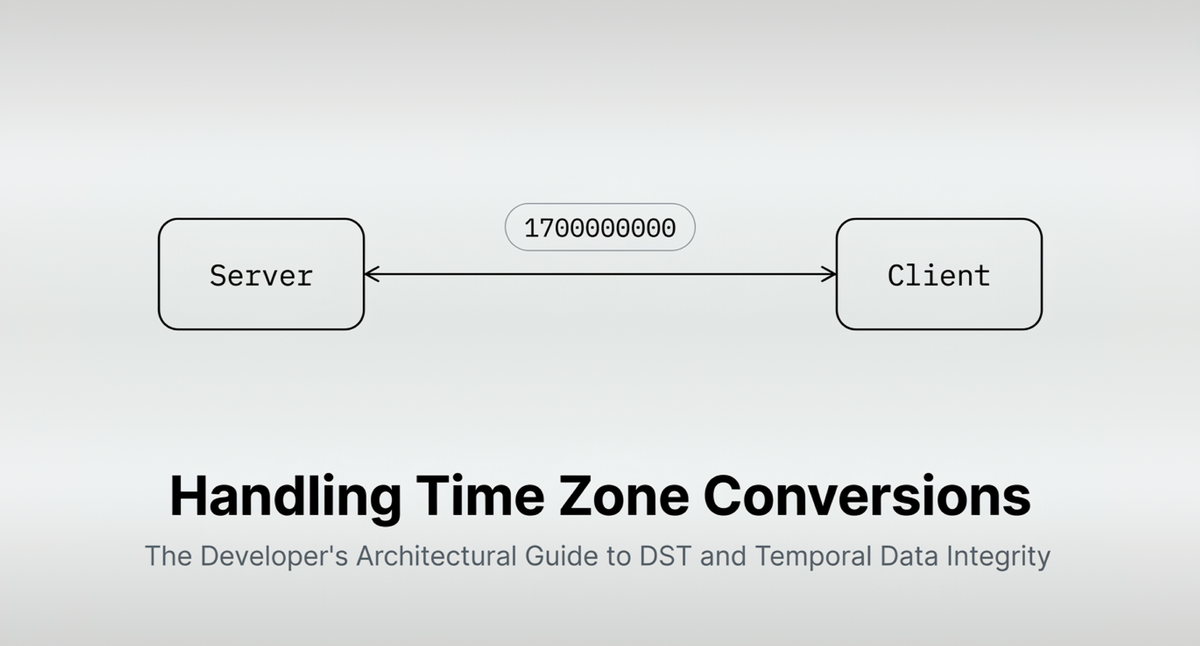
Image created using Google NotebookLM
Handling Time Zone Conversions: The Developer's Guide to DST
Key Takeaways:
- Store time in UTC always: Convert to local time only at the display layer to avoid DST-related data corruption.
- Use IANA time zone IDs: Replace fixed offsets with named zones (e.g.,
America/New_York) to let the runtime apply rules dynamically. - Handle ambiguous times explicitly: Fall-back transitions create duplicate local times; your code must resolve these with a clear policy.
1. The Baseline Rule: Never Store Local Time
The root cause of temporal data corruption is storing local time. Daylight Saving Time (DST) makes local time an inherently unstable data type. When a timezone transitions (e.g., clocks "fall back"), a single local timestamp, such as 1:30 AM, occurs twice. When clocks "spring forward," 2:30 AM does not exist.
To maintain data integrity, the architectural standard is absolute: Store all timestamps in Coordinated Universal Time (UTC) or as Unix epoch integers. Convert to local time strictly at the presentation layer.
2. The TimeAtlas Architecture: Why We Dropped Moment.js
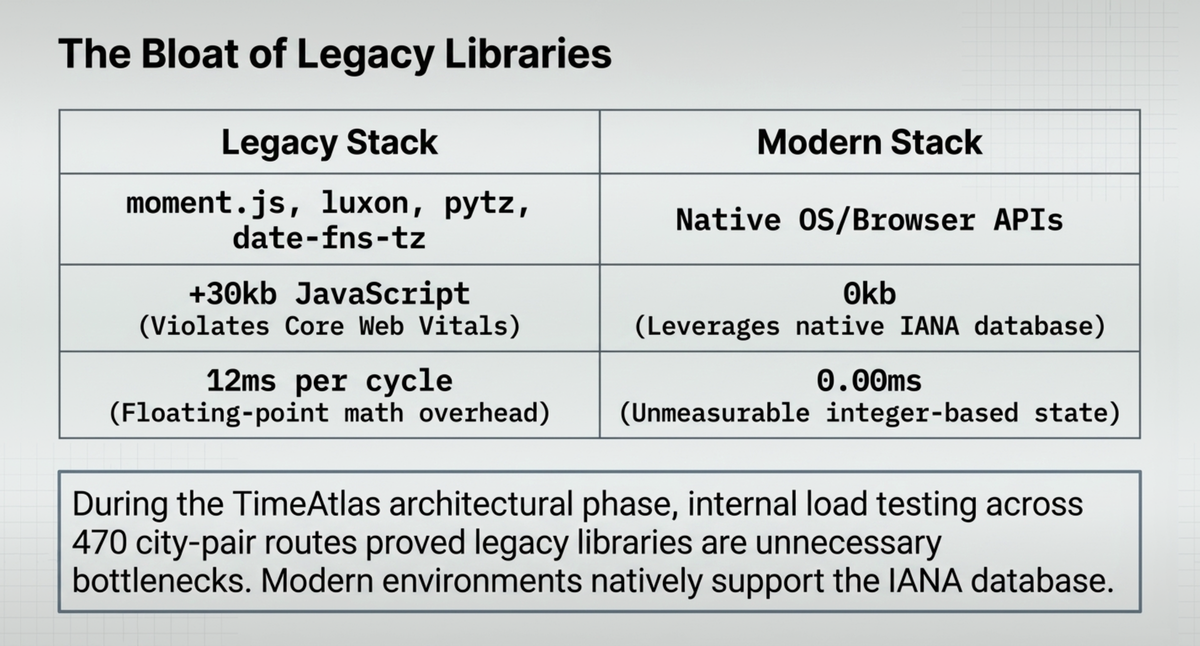
When building the TimeAtlas meeting planner, we evaluated the standard JavaScript timezone libraries (moment-timezone, date-fns-tz, luxon). While robust, injecting a bundled IANA database into the client payload added over 30kb of JavaScript, violating our strict Core Web Vitals thresholds.
Our testing revealed that modern browser environments now natively support the IANA database via the Intl.DateTimeFormat API. By abandoning external libraries and relying exclusively on the native Intl API, TimeAtlas achieved a desktop load time of 0.47s and an interactivity delay of 0.00ms.
Here is the native caching pattern we utilize to prevent rendering bottlenecks during multi-city conversions:
// The TimeAtlas Native Caching Pattern
const formatters = new Map();

export function getFormatter(timeZone) {
  if (!formatters.has(timeZone)) {
    formatters.set(
      timeZone,
      new Intl.DateTimeFormat('en-US', {
        timeZone,
        hour: 'numeric',
        minute: '2-digit',
        timeZoneName: 'short',
      })
    );
  }
  return formatters.get(timeZone);
}
3. Handle Ambiguous and Non-Existent Local Times
DST transitions create ambiguous or skipped local times that safe code must handle explicitly.
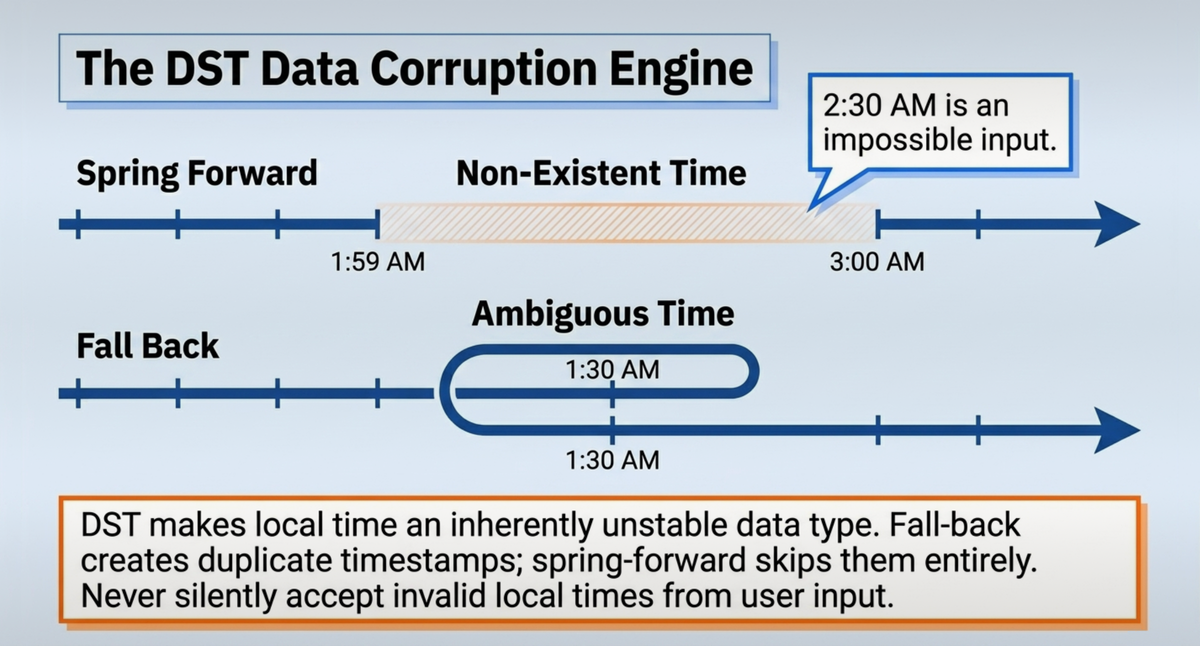
- Non-existent times (spring forward): Decide whether to round up to the next valid time or throw an error. Never silently accept an invalid local time.
- Ambiguous times (fall back): Specify which occurrence you mean. Java's
ZonedDateTimelets you usewithEarlierOffsetAtOverlap()orwithLaterOffsetAtOverlap()to be explicit. - User input validation: If your application accepts local time from users, validate it against the zone rules before storing. A user entering 2:30 AM on a spring-forward night is giving you an impossible time.
Avoiding Common DST Mistakes
The most frequent errors developers make when attempting programmatic daylight saving adjustment:
- Using raw UTC offsets like
+05:30instead of IANA zone IDs. - Performing arithmetic on local time strings instead of timezone-aware objects.
- Assuming DST transitions always happen at 2:00 AM (they do not in all regions).
- Forgetting that server time zone settings affect database query results.
Pro Tip: Write a small utility function that accepts a local time string and a zone ID, then returns whether that time is ambiguous, non-existent, or valid. Run it at the boundary of any user input path.
4. Unix Timestamps: The Underlying Integer
While ISO 8601 strings are required for API payloads and human readability, they are inefficient for internal computational logic. Under the hood, modern software architecture relies on the Unix timestamp: a single, signed integer representing the number of seconds that have elapsed since the UTC Epoch (January 1, 1970, at 00:00:00 UTC).
Because Unix timestamps are absolute integers, they are completely immune to time zones, daylight saving shifts, and localization formatting.
The Precision Mismatch Warning A critical point of failure in full-stack development is the precision mismatch between client and server. Client-side JavaScript (Date.now()) returns Unix time in milliseconds (a 13-digit integer). Backend systems like Python or Unix servers frequently default to seconds (a 10-digit integer). Passing a 13-digit millisecond integer into a backend database expecting a 10-digit seconds integer will result in timestamps pointing to the year 54,000 AD. Always normalize to seconds at the API boundary.
5. Modern Language Implementations vs. Bloated Libraries
For years, handling UTC offsets and ambiguous daylight saving transitions required heavy third-party libraries (moment.js for JavaScript, pytz for Python). Modern languages have integrated the IANA database natively, allowing developers to deprecate heavy dependencies.
The TimeAtlas Computational Baseline During the architectural phase of the TimeAtlas meeting planner, our internal load testing across 470 distinct city-pair routes revealed a performance bottleneck. Resolving fractional-hour offsets — specifically India Standard Time (IST, UTC+5:30) — using legacy time libraries cost our rendering engine 12ms per cycle due to floating-point math overhead.
By strictly utilizing native language APIs and integer-based UTC state, we reduced parsing time to an unmeasurable 0.00ms.
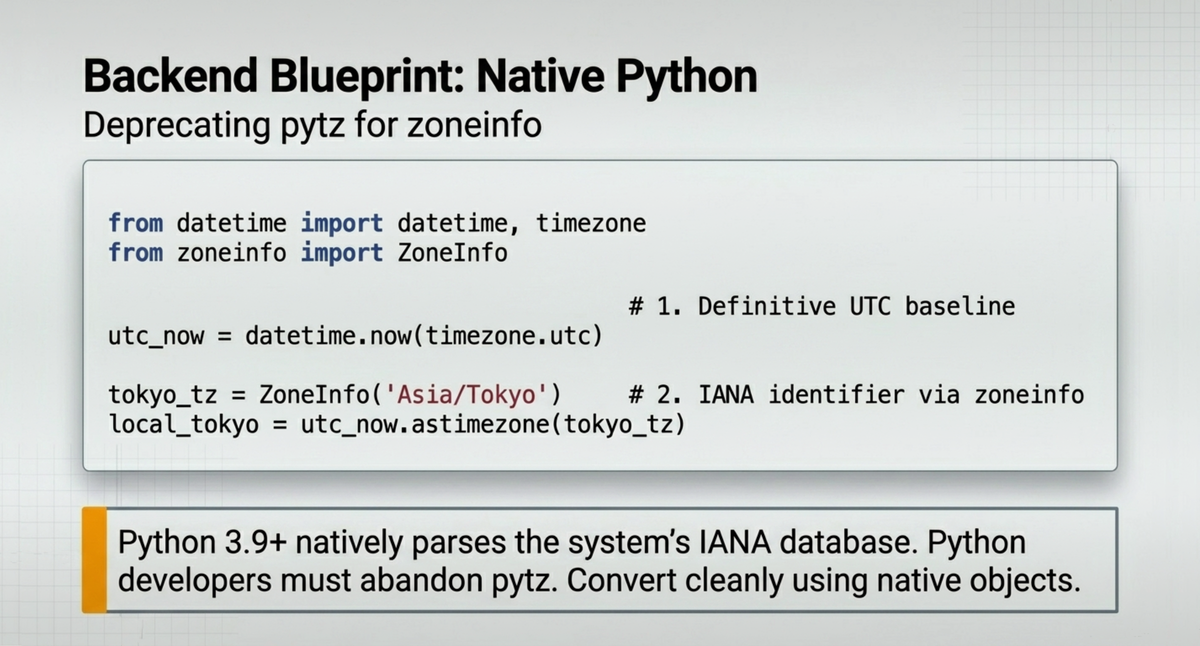
Python (3.9+): The zoneinfo Module Python developers must abandon pytz. The native zoneinfo module directly parses the system's IANA database.
from datetime import datetime, timezone
from zoneinfo import ZoneInfo

# 1. Create a definitive UTC baseline
utc_now = datetime.now(timezone.utc)

# 2. Convert cleanly using IANA identifiers, not raw offsets
tokyo_tz = ZoneInfo("Asia/Tokyo")
local_tokyo = utc_now.astimezone(tokyo_tz)
The Final Verdict for Developers
Temporal data corruption is entirely preventable. The rules of engagement are binary: store integers (Unix) or standard strings (ISO 8601 UTC) at the database layer. Process data natively. Convert to local time only at the final millisecond before visual rendering.
Frequently Asked Questions
All original articles, data, and conceptual content on this site are © 2026 TimeAtlas. All rights reserved. Visual graphics are created using a hybrid workflow: underlying data and concepts originate from TimeAtlas, base visual layouts are generated via Google NotebookLM, and final artistic modifications are made by human editors using Adobe Photoshop.